Features
What you can do
All services in one file
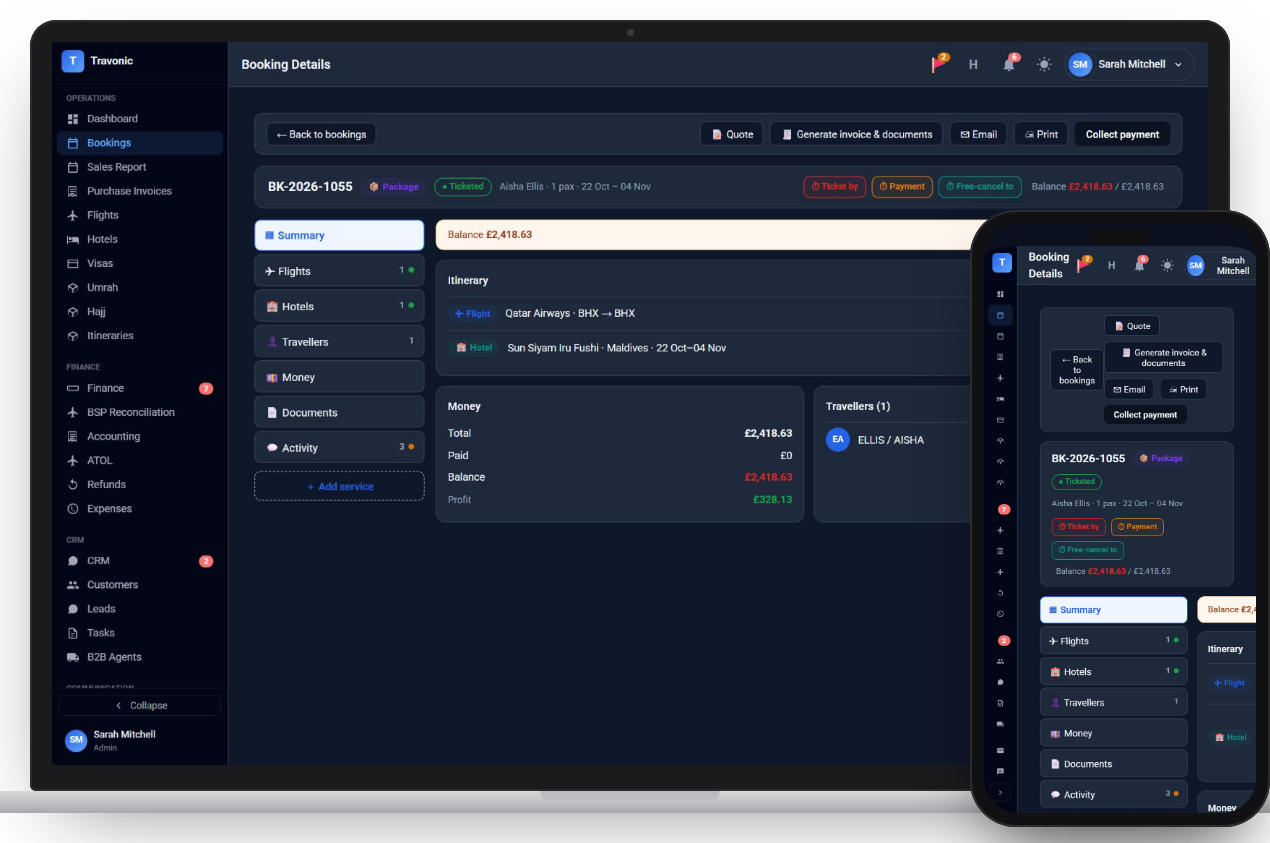
Add flight segments, hotels, transport, visas and other services to the same booking.
Import from a PNR
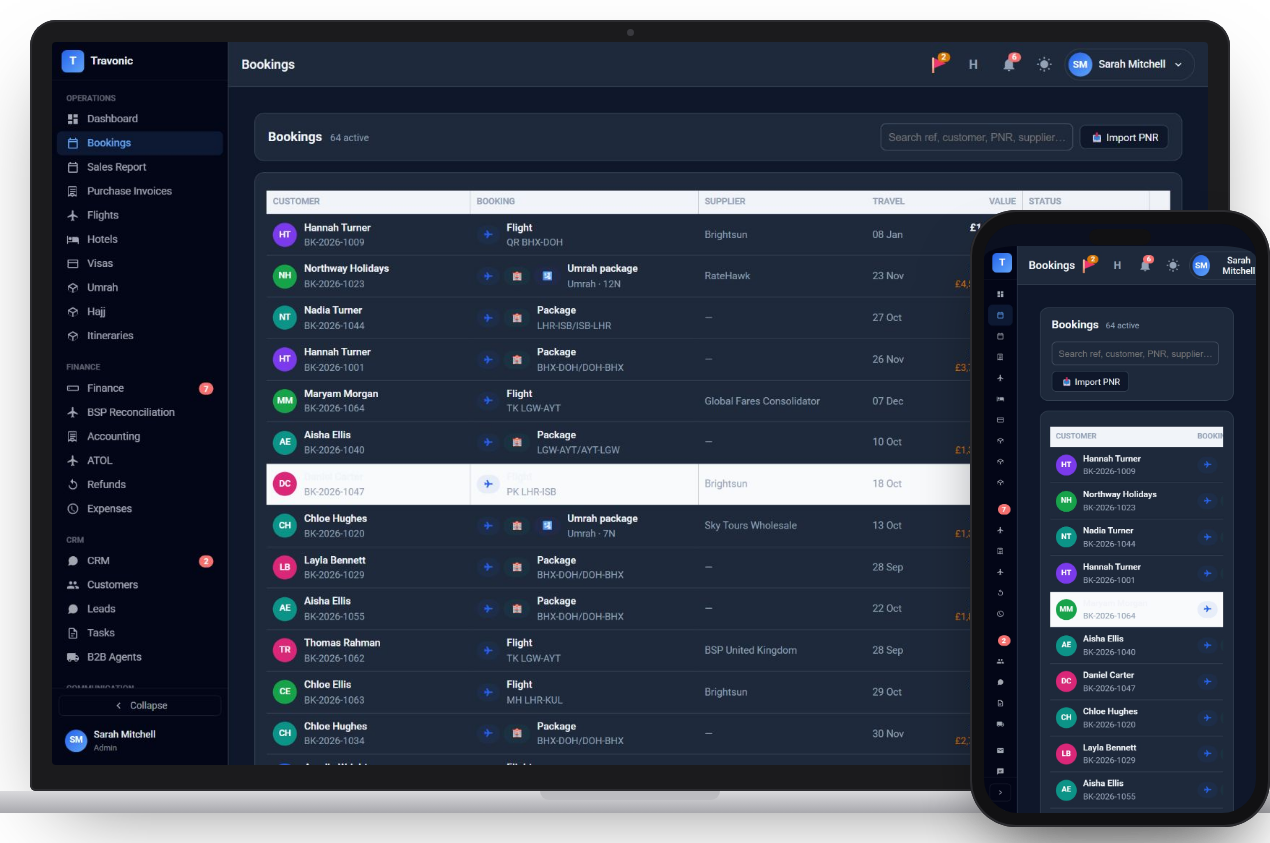
Bring a booking in from a PNR instead of typing each segment and passenger by hand.
Price, amend, cancel, refund
Price each service, and amend, cancel or refund it with the money following through.
Search everything
Find a booking by reference, customer, PNR or supplier from the bookings list.
Invoice and documents
Generate the invoice and documents from the file and take a payment without leaving it.
Profit on every file
Total, paid, balance and profit sit on the booking so you know where you stand.
Booking management
A booking file showing itinerary, money and travellers
Shown with sample data.
How it works
Booking management in 4 steps
- Create a booking or import it from a PNR
- Add flights, hotels, transport and travellers
- Price it and send the invoice
- Take payment and issue documents
FAQ
Questions agencies ask
Anything else? Book a demo and ask us directly.
Can one booking hold flights and a hotel together?
Yes. A booking can hold any mix of flights, hotels, transport, visas and other services for the same trip.
Can I import a booking from the GDS?
Yes. Bookings can be imported from a PNR so segments and passengers come in without retyping.
What happens to the money when I cancel a service?
The cancellation and any refund are recorded against that service, so the booking total, balance and profit stay right.
Free demo
See Travonic with your own kind of bookings
A 30-minute walk-through, no obligation.
- Your flights, hotels and packages, not a generic demo
- Questions answered by people who run an agency
- Set-up help when you decide to go ahead